As a troubleshooting and debugging tool, you can insert one or more breakpoints in a Sequence. A breakpoint defines a point in the Sequence that, when reached, will temporarily halt the execution. To continue execution of the Sequence when a breakpoint is reached, click the 'Start' or 'Single Step' button.
Note: Breakpoints are not stored when you save a Sequence to a file on your computer.
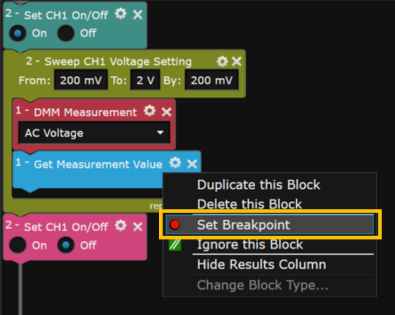
To set a breakpoint, right-click on the desired block and select "Set Breakpoint". The breakpoint will halt the Sequence immediately before the selected block.
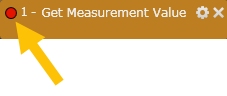
The breakpoint is indicated by a red circle in the upper left corner of the block.
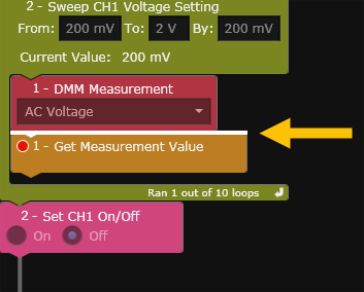
When you execute the Sequence by pressing the 'Start' or 'Single Step' button, a white bar indicates the location of the breakpoint. To continue execution of the Sequence, click the 'Start' or 'Single Step' button.
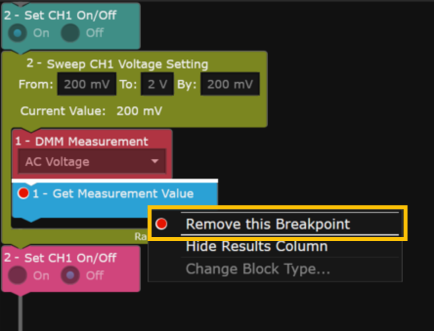
To remove a breakpoint, right-click on the block containing the breakpoint and select "Remove this Breakpoint". You can also remove a breakpoint by clicking once on the red circle in the upper left corner of the block.